
How to Link a PDF in WordPress
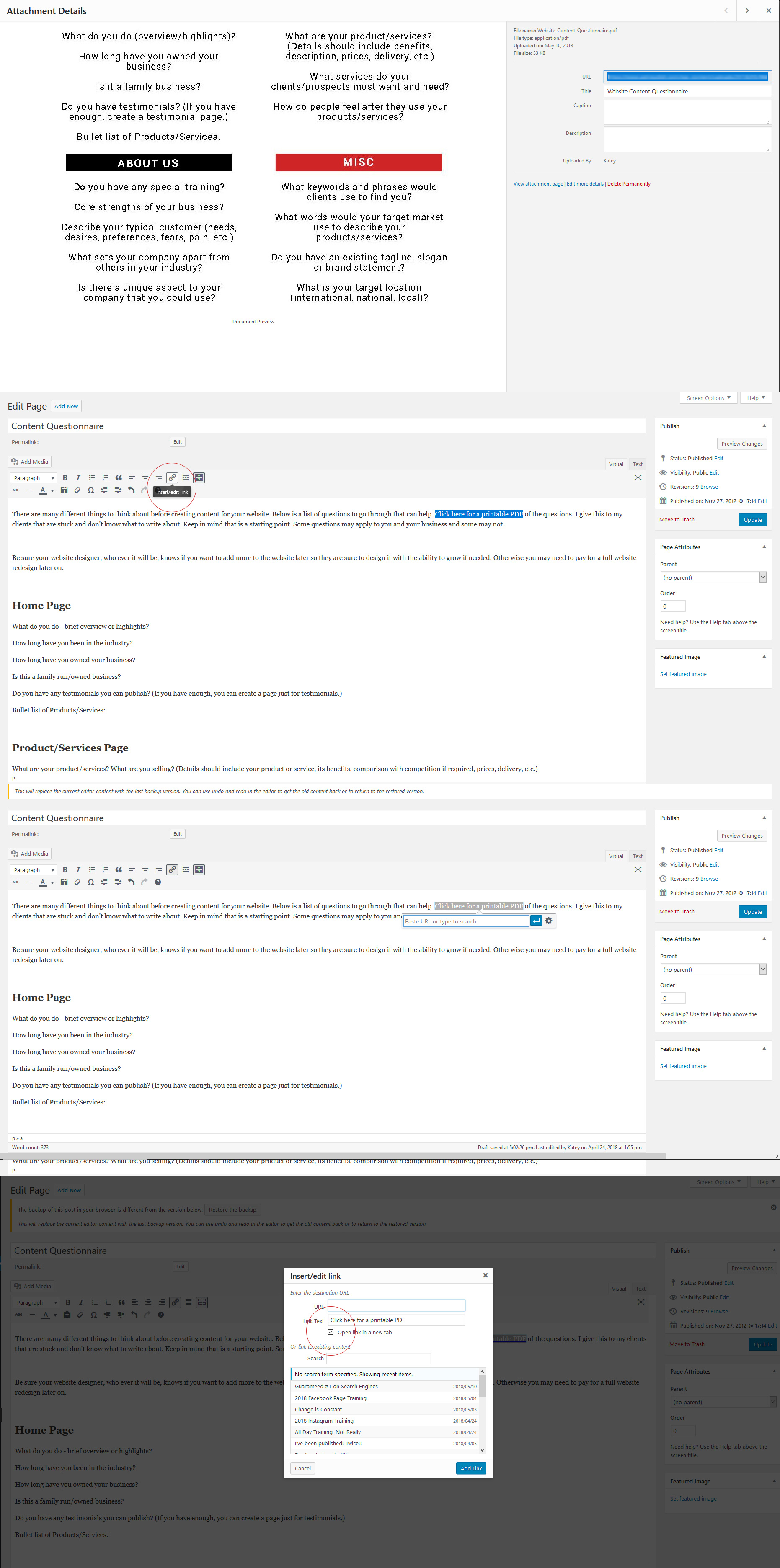
I get this question a lot so here is step by step instructions on how to upload a PDF and link it to your page.
Upload your PDF. It is no different than adding images. Once the PDF is uploaded, view the PDF in “media”. Copy the full link from the newly uploaded document.

Once the link is copied, go the page or post you want to the PDF to be linked. Highlight the text you wish to link and click on the link button circled in the image below.

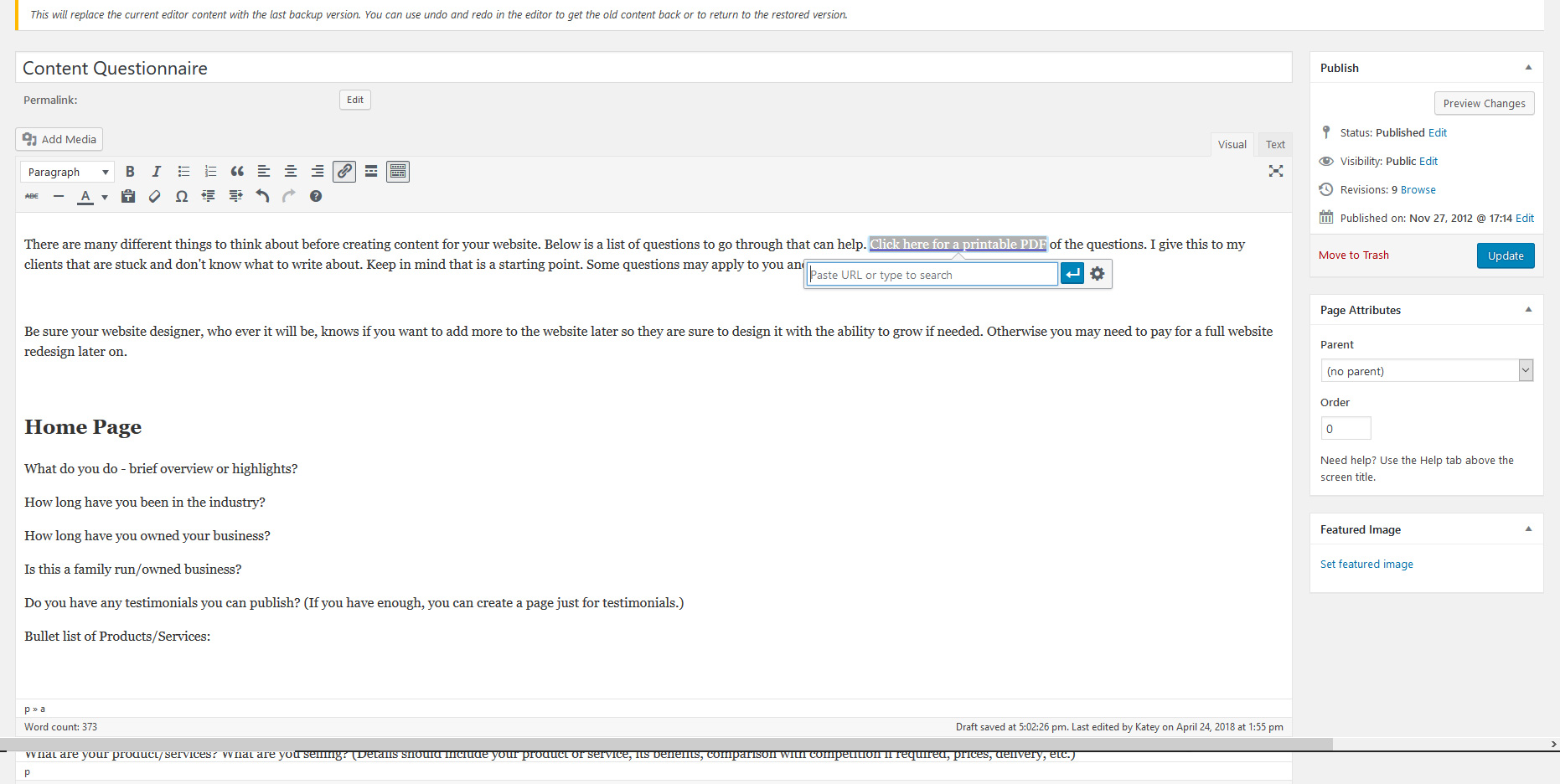
After you click the link icon, paste the copied link into the link box. See image below. You aren’t done yet!! Next click on the cogwheel.
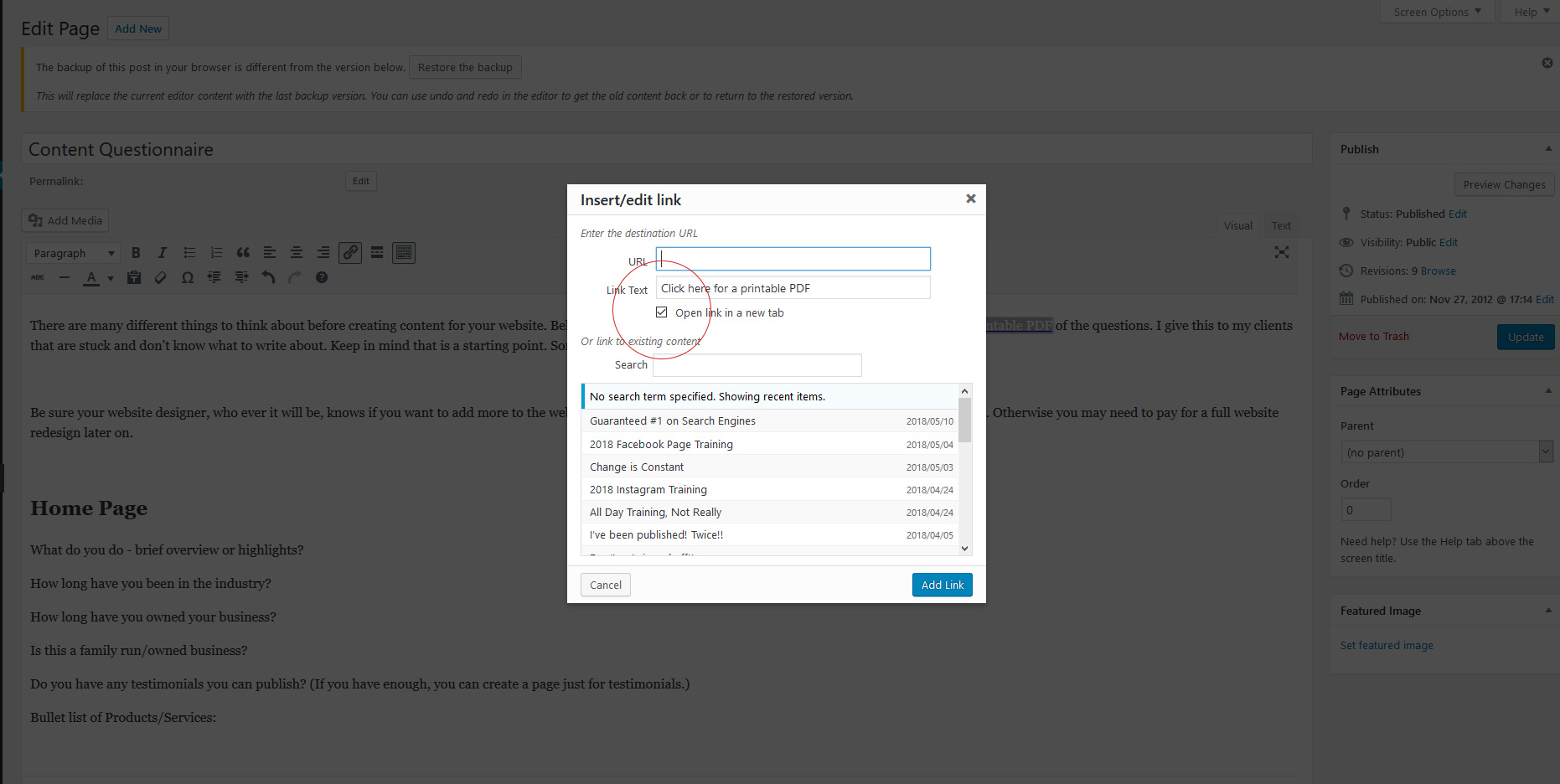
When a new window pops up, click the checkbox for “Open link in a new tab” so the PDF opens in a new tab. Otherwise, the PDF opens in the window/tab that is currently the website. People who don’t know how to use the back arrow (yes, they still exist) will accidentally leave your website and not know how to get back. Now your PDF link is complete! Click “Add Link” or “update” in the pop-up window and click update or post in the top right publish box.



Blogging Content DIY website Linking updates Website WordPress