
Advantages of Friend Lists

There are a lot of reasons for putting your Facebook friends into different lists, especially if you have a business. Say you create an event for your business. Sifting through your hundreds of friends is time-consuming and can make you cross-eyed. Wouldn’t it be easier to know that you can pick collection local friends and click “Select All” to invite them? We all have friends around the country and probably even around the world. I’m sure that your friends in Europe will find it difficult to attend your “new location” party and your cousin twice removed that you haven’t seen in 20 years isn’t interested either. Thankfully, Facebook will pre-list some of your connections. Location, schools, and employment connections are usually pre-set.
But did you know you can make more lists? You can create a “networking” list or a “church” list. Friend’s with your children’s friend’s parents from ballet class? You can put them into a “Ballet” list.
To create or add to your lists:
- Go to your personal profile page
- Click on the “Friends” tab
- Hover over the checked “friends” button
- Use the drop-down to get to “add to another list”
- From there pick from the already created lists
Repeat as many times as you want to your friend to add to as many lists as you want.
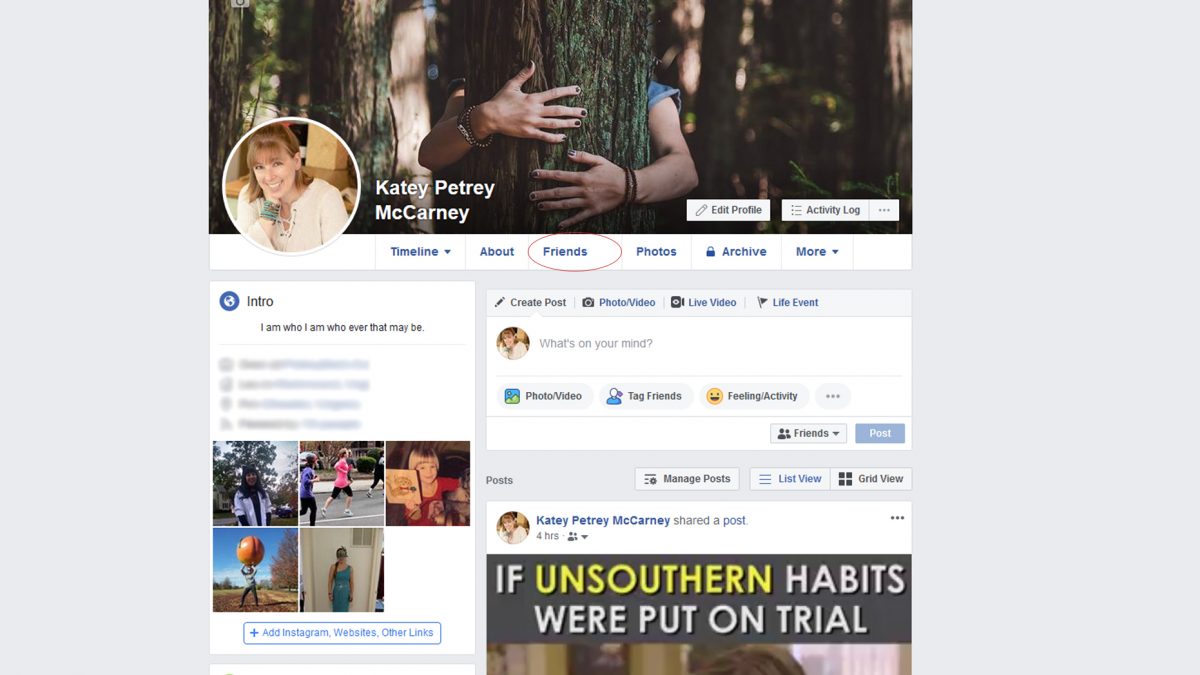
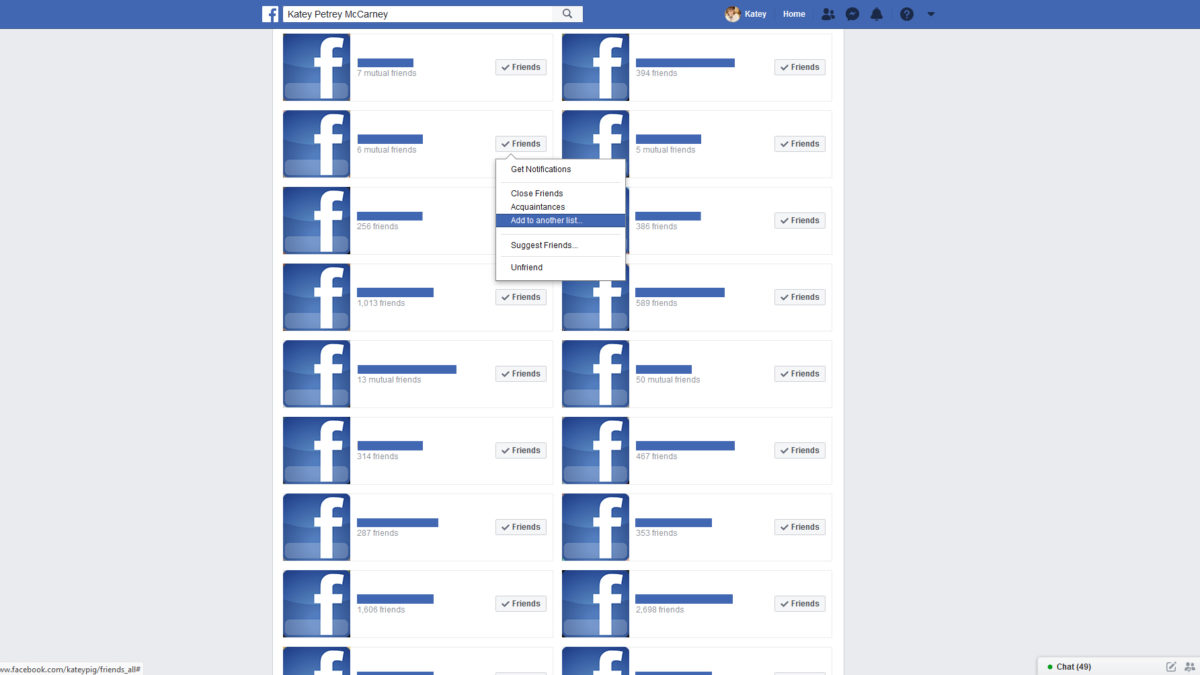
To create a new list, repeat the steps above and look for the “+Create a List” button. A window will pop up for you to start selecting people and create a title for your new list. Once you hit complete, you can adjust the list whenever by clicking on the name of the group which is now appearing on the left of the screen. To add more friends to the list, you can hover over your friend’s name, click on “edit list” and select the group. Friends can be on multiple lists.
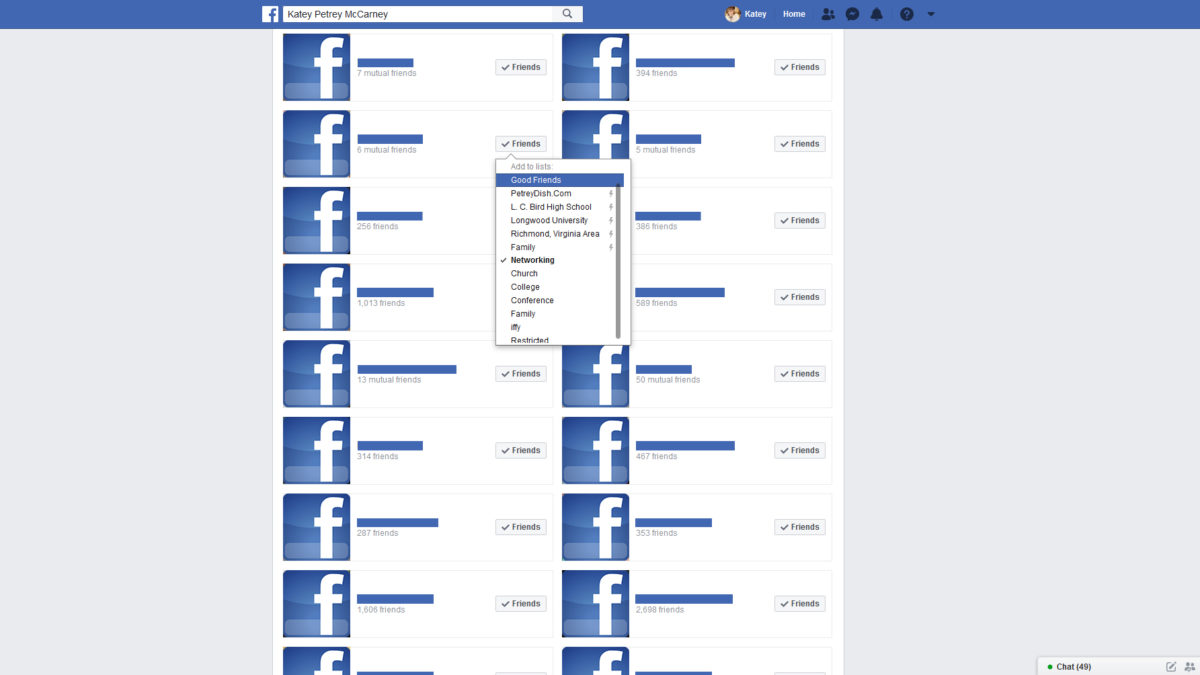
Create as many lists as you want.
So next time you create a business event or fun event for yourself, you now have a faster, more streamlined way of inviting guests. Are you hosting an open house? Create an event. Is your business participating in Small Business Saturday? Create an event! Are you doing a pop-up next month? Create an event. Are you hosting a workshop? Create an event. Use your new list to help target your specific friends and clients. The event may be open to the public so starting with “local friends” and “friends in *city*” is perfect and fast! (Select all. Send. DONE!) A key list of Facebook savvy users might be a great “list” to create and use too! Create a superfan list! Have I said list enough yet?
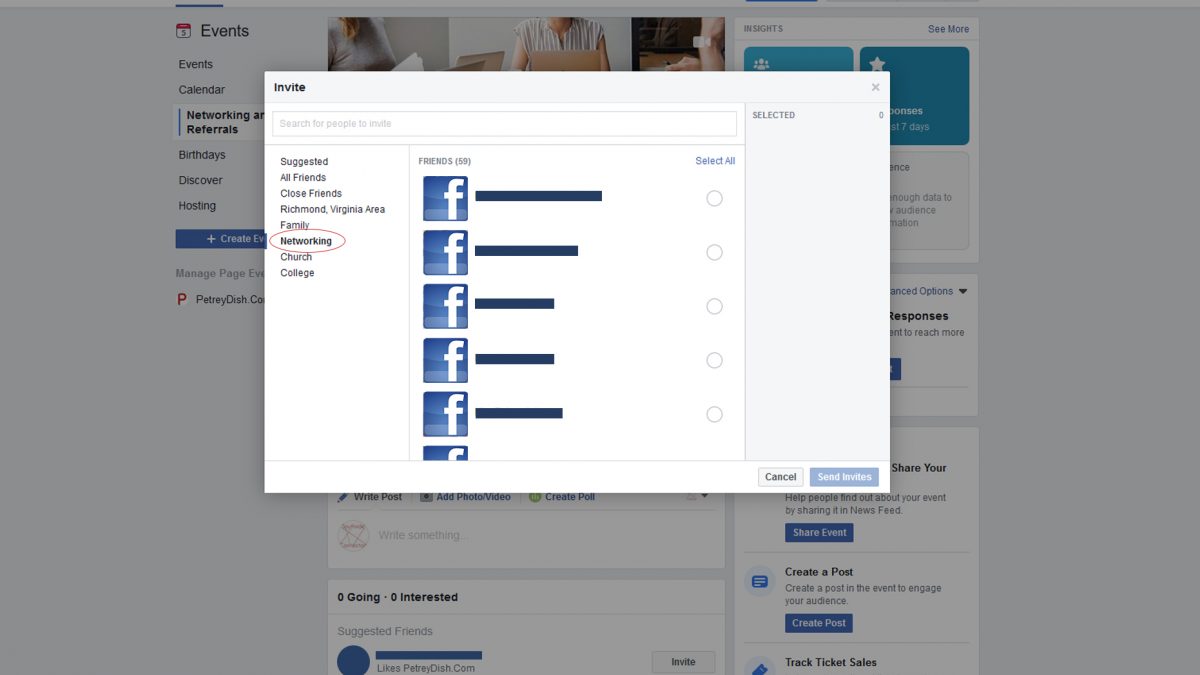
Putting “create Facebook friend lists” on your to-do during your slow season is also a great use of time and will be a time saver once it’s set up. Adding to your various lists is also quick. You might even be able to get an assistant or intern to help get things started. You can fine-tune later.
Lists aren’t just for business. They are great for personal reasons as well.
Getting Personal
Say you have some people in your family or old high school acquaintances and you don’t want them knowing all your business. Maybe you have a few coworkers and you would rather not share your beach vacation photos with them. Maybe you only want your closest friends and family to see your children’s photos. You can create an album and have the privacy settings so that only a select few can see.
Once the lists are made, edit your album’s privacy. To edit your album’s privacy, each album needs to be done separately. Go to your profile page, click on photos, get to the desired album and then click on “edit album”. A window will pop up and at the bottom is the privacy of your choosing. To keep it from a group of people or visible only to a small group of people, click on customize. For the elite, click the drop-down menu for “specify people” and add the name of the list you want to see the album. This effects this album only, not all of your photos. To hide the album from a few people then add the list to the “hide this from” section. This only affects this album, not all photos.
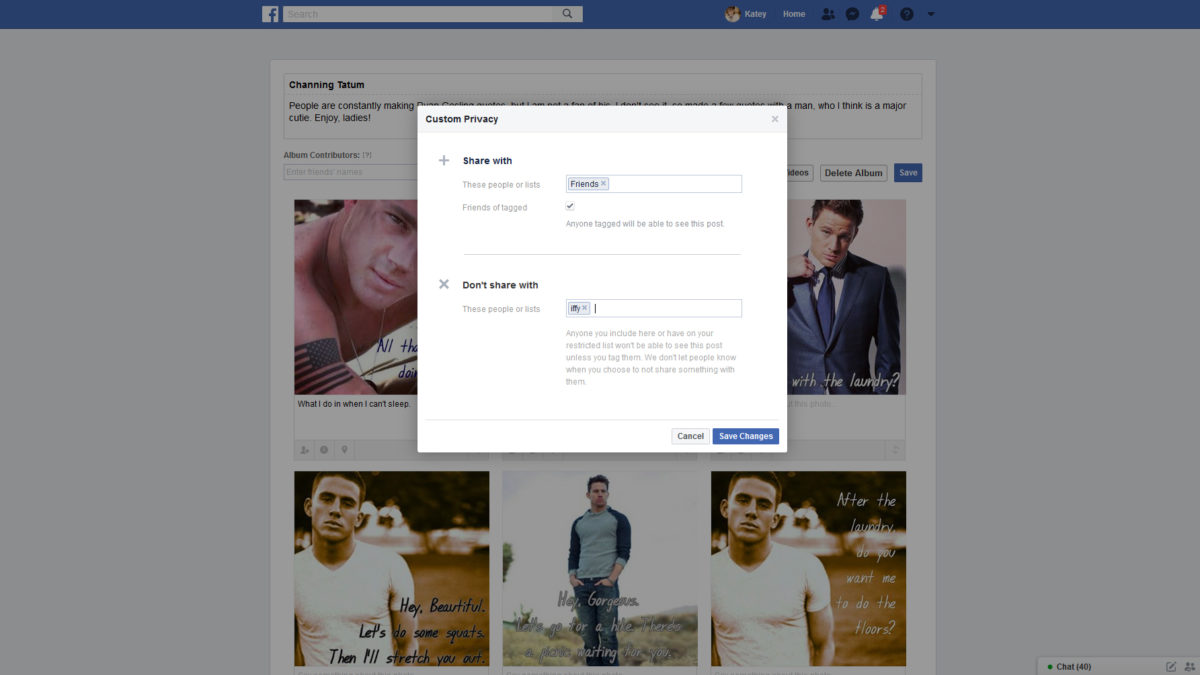
List’s aren’t just for albums. Lists are also great for preventing friends, clients, networking acquaintances, etc. from seeing your controversial posts. It would be terrible to lose a great client because of a point of view.
Need help getting started or want to learn more? I am here for you! Call me or text me at 804.402.0084 or email me at [email protected] to set up an appointment.



Facebook facebook events facebook profiles Friend Lists privacy settings Social Media










2 Responses
[…] If you want to take it a step further and create friends lists for marketing and inviting to events, click here. […]
[…] Want to learn more about how to create friend lists? Click here! […]